Session 1 & 2
Introduction to various coding platforms
In this lesson, we will explore some amazing coding platforms that help you learn to code in a fun way. Each platform has its own features and uses. Let’s get started!
Learning Objectives:
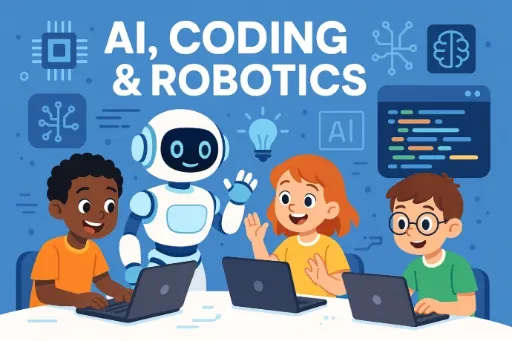
In this chapter, students will be introduced to the world of coding through fun and interactive platforms like Scratch, Edublocks, MakeCode, and Pictoblox.
They will learn the basics of programming such as sequencing instructions, using loops, and triggering actions through events.
By exploring different block-based coding environments, students will develop the ability to create simple animations, games, and interactive stories.
Pictoblox
Pictoblox is a block-based coding platform that lets you create animations, games, and even program robots. It is colorful and easy to use.

MakeCode
MakeCode is an online platform that allows you to code using blocks and real text-based code. It is perfect for making simple games and controlling hardware like Microbit.

Scratch
Scratch is one of the most popular block-based coding platforms. It lets you create interactive stories, animations, and games by snapping together code blocks like a puzzle.

Edublocks
Edublocks helps you learn Python programming using block coding. It is designed to make the transition from blocks to text coding smoother and easier.

ArduBlocks
ArduBlocks is a platform that lets you code Arduino projects using blocks. It is great for beginners who want to learn about electronics and sensors.

Components Required
Activity
Let’s create an animation using Scratch 3.0 platform.
Follow the steps below:
Open Scratch 3.0 software and create a new file.
You will get a default sprite on the stage cat sprite.

Now to start the program go to event palette, Add a green flag block.

Then use a forever block from control palette.

And then from motion palette add a move 10 steps block inside forever block.

Then Click on Green flag on the stage to start the program.

Maximize the stage and enjoy your program.

Learning Outcome
By the end of this chapter, students will be able to understand and use basic coding concepts like sequencing, loops, and events through visual block-based platforms such as Scratch, Edublocks, MakeCode, and Pictoblox.
They will be able to create simple interactive stories, animations, or games by arranging code blocks logically.
Students will also gain confidence in exploring different coding tools, demonstrate creativity in designing projects, and show improved problem-solving and logical thinking skills.
Worksheet
Multiple choice questions:-
Which platform helps you create stories and games?
a) Thonny b) Scratch c) MakeCode d) ArduBlocks
What is ArduBlocks used for?
a) Drawing b) Music c) Electronics d) Storytelling
Which platform is beginner-friendly for Python coding?
a) Scratch b) Pictoblox c) Edublocks d) Thonny
Which platform uses colorful blocks to create code?
a) Thonny b) ArduBlocks c) Pictoblox d) Edublocks
Which platform lets you code using blocks and real text code?
a) Scratch b) MakeCode c) Thonny d) Edublocks
True or False
Pictoblox is only for advanced programmers.
Thonny is used to learn Python programming.
MakeCode can control hardware like Microbit.
ArduBlocks can be used to make games and stories.
Edublocks helps you learn real Python coding.
Answers
MCQ Answers
b) Scratch
c) Electronics
c) Edublocks
c) Pictoblox
b) MakeCode
True/False Answers
1. False 2. True 3. True 4. False 5. True
Basic
Coding & AI