
Arduino Nano vs Uno vs Mega vs ESP32 vs Raspberry Pi: Which Board Should You Use for Your Project?
When starting an electronics, robotics, automation, or IoT project, one of the first questions that comes to mind is: Which development board should I use?
There are dozens of options available today. Arduino Uno, Arduino Nano, Arduino Mega, ESP32, Raspberry Pi, and many other boards are commonly used by students, hobbyists, engineers, researchers, and product developers. At first glance, these boards may appear to perform similar tasks. They can read sensors, control motors, communicate with other devices, and interact with electronic components.
However, they are designed for very different purposes.
An Arduino Nano may be ideal for a small embedded project where space is limited. An Arduino Uno is often the best choice for beginners learning electronics and programming. An Arduino Mega becomes useful when a project requires a large number of input and output pins. An ESP32 is an excellent choice when Wi-Fi or Bluetooth connectivity is required. Meanwhile, a Raspberry Pi can be used when a project needs an operating system, computer vision, advanced networking, multimedia processing, or more computational power.
Choosing the right board is therefore not simply about selecting the board with the fastest processor or the largest memory.
The better question is:
“What does my project actually need?”
This article explores the most common development boards and explains which one is suitable for different scenarios, from simple educational projects to IoT systems and advanced robotics.
Microcontroller vs Single-Board Computer: The First Important Difference
Before comparing individual boards, it is important to understand that not all of these devices belong to exactly the same category.
Arduino boards and ESP32 boards are primarily microcontroller-based development boards. They are designed to interact directly with electronic hardware. They are excellent at reading sensors, generating control signals, operating motors, switching relays, and performing repetitive real-time tasks.
A Raspberry Pi, on the other hand, is generally a single-board computer (SBC).
It can run an operating system such as Linux and perform tasks similar to those performed by a conventional computer, although in a compact form factor.
This difference affects the type of projects for which each board is suitable.
For example, imagine a robot that needs to:
Read wheel encoders
Control motors
Read ultrasonic sensors
Process camera images
Detect objects using AI
Connect to the internet
Store data
Trying to make one small microcontroller perform every one of these tasks may not be the best approach.
A better architecture could be:
Raspberry Pi → AI, camera, networking, high-level decisions
ESP32/Arduino → Sensors, motors, encoders, real-time control
This combination is common in more advanced robotics systems because each device handles the tasks it is best suited for.
1. Arduino Uno: The Best Starting Point for Beginners
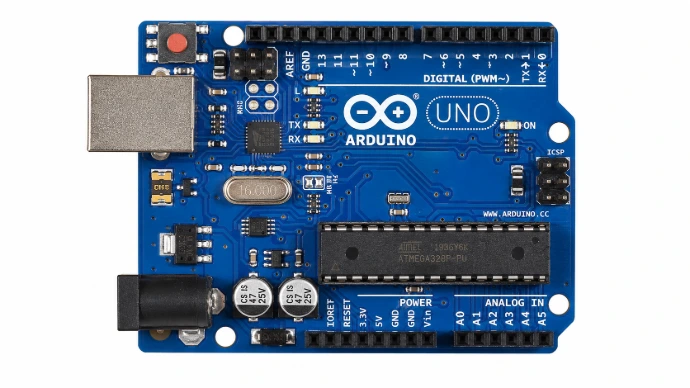
The Arduino Uno is one of the most widely recognized development boards in the electronics and maker ecosystem.
It is particularly popular in education because its hardware and software are relatively simple to understand. A beginner can connect an LED, sensor, button, servo motor, or other component and start experimenting without needing a complicated development environment.
Why Choose Arduino Uno?
The Uno is a good choice when the project requires:
Basic digital inputs and outputs
Analog sensor readings
Simple motor or servo control
Basic automation
Educational experimentation
Simple robotics
Prototyping
Its biggest advantage is not necessarily raw processing power.
Its biggest advantage is simplicity.
For someone learning embedded systems, the Uno provides an easy introduction to concepts such as:
GPIO
Digital input/output
Analog-to-digital conversion
PWM
Serial communication
Sensors
Actuators
Embedded programming
Typical Arduino Uno Projects
An Arduino Uno can be used for projects such as:
Line-Following Robot
A line-following robot can use infrared sensors to detect a line on the floor. The Arduino reads those sensors and adjusts the motors accordingly.
Automatic Dustbin
An ultrasonic sensor can detect when someone approaches the dustbin. The Arduino can then control a servo motor to open the lid.
Temperature Monitoring
A temperature sensor can be connected to the Arduino, and the measured temperature can be displayed on an LCD.
Traffic Light Controller
Multiple LEDs can be controlled according to a predefined sequence to simulate a traffic signal.
Basic Home Automation
Relays can be controlled based on switches or sensor readings.
When Should You Not Use an Uno?
The Uno may not be the best choice when your project requires:
Wi-Fi
Bluetooth
Large numbers of GPIO pins
Significant memory
Advanced image processing
Artificial intelligence
Complex operating systems
Heavy data processing
In such cases, another board may be more appropriate.
2. Arduino Nano: When Size Matters
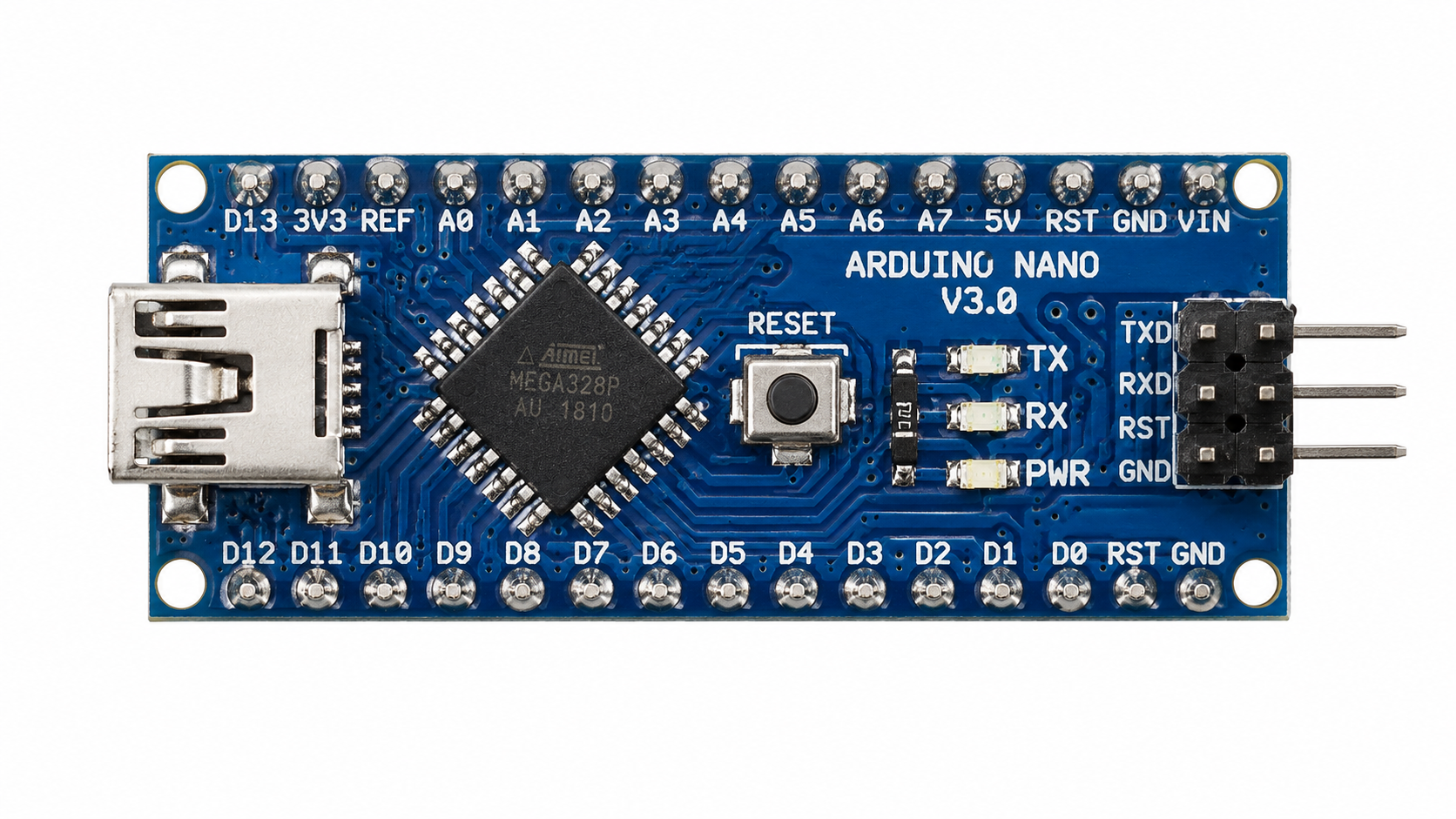
The Arduino Nano is similar in concept to the Uno but is significantly smaller.
This makes the Nano particularly useful when a project needs a microcontroller but does not have much physical space.
The Nano is often found in compact robotics projects, wearable electronics, sensor nodes, and embedded prototypes.
Why Choose Arduino Nano?
Choose the Nano when:
Space is limited
The project requires a small PCB footprint
You need Arduino compatibility
You are building a compact embedded device
You want to place the controller directly on a breadboard or custom PCB
Example: Small Robot
Imagine building a small autonomous robot.
A full-sized Uno may occupy valuable space that could otherwise be used for:
Batteries
Motor drivers
Sensors
Wireless modules
Mechanical components
A Nano can provide similar Arduino-style control functionality in a much smaller package.
Example: Wearable Electronics
Suppose you want to create a wearable device that monitors motion using an accelerometer.
A large development board can make the wearable uncomfortable or impractical.
A compact board such as the Nano is much more suitable.
Example: Sensor Node
A Nano can also be used for a small environmental monitoring device that reads:
Temperature
Humidity
Light
Air quality
and sends or displays the collected information through an external communication module.
Uno vs Nano
The choice between Uno and Nano is often less about capability and more about form factor and project requirements.
If you are learning Arduino and want a convenient development board, the Uno is often easier to work with.
If you already understand Arduino and need a smaller embedded controller, the Nano can be a better choice.
3. Arduino Mega: When Your Project Has Too Many Connections
As projects become more complicated, one of the first problems developers encounter is running out of pins.
A basic robot might need only a few pins.
But consider a system containing:
Multiple ultrasonic sensors
Several servo motors
Encoders
LCD display
Keypad
Temperature sensors
Relay modules
Communication modules
Suddenly, the available GPIO pins become a major consideration.
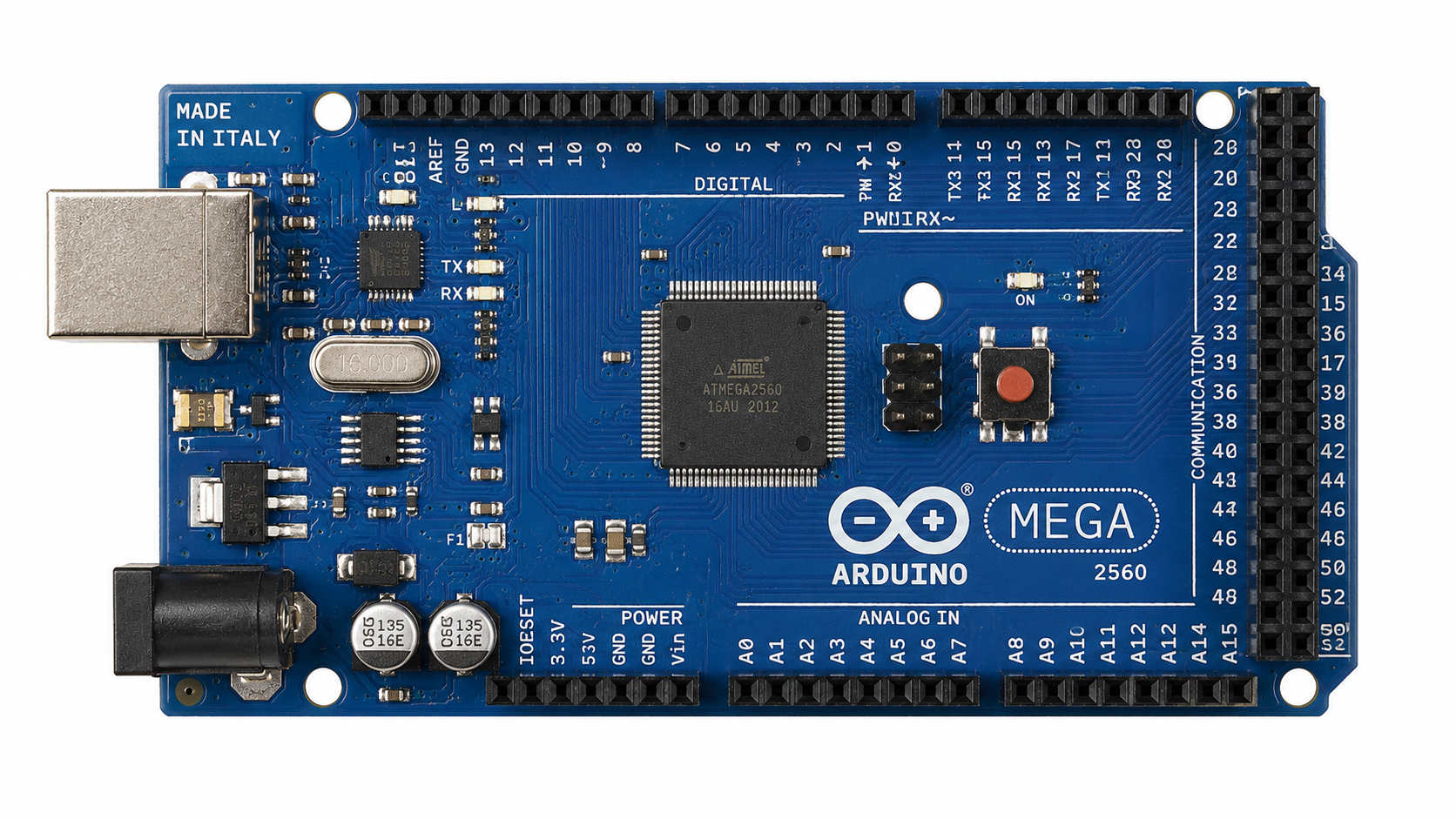
This is where the Arduino Mega becomes useful.
Why Choose Arduino Mega?
The Mega is designed for projects that need:
Many digital pins
More analog inputs
Multiple serial communication interfaces
Larger projects
Multiple peripherals
Complex robotics prototypes
Example: Robotic Arm
A robotic arm may contain multiple servo motors.
Each servo can require a control connection, while additional pins may be required for:
Joystick controls
Limit switches
Sensors
Displays
Communication modules
An Uno may quickly become restrictive.
The Mega provides significantly more I/O resources, making it more comfortable for such projects.
Example: 3D Printer
3D printers need to control many components simultaneously:
Stepper motors
Temperature sensors
Heating elements
End-stop switches
Displays
Fans
This is the type of environment where boards with more I/O and communication resources become useful.
Example: Multi-Sensor Robot
Imagine a robot equipped with:
Four ultrasonic sensors
Two wheel encoders
Two motors
A servo-mounted sensor
An LCD
Bluetooth module
The number of required connections can quickly increase.
The Mega provides more room to accommodate such hardware.
The Main Advantage
The Mega is not necessarily the board you choose because you need the fastest processor.
You choose it because your project has a lot of hardware to control.
That is an important distinction.
4. ESP32: The Choice for Connected Devices
The ESP32 changed the way many makers approach IoT projects.
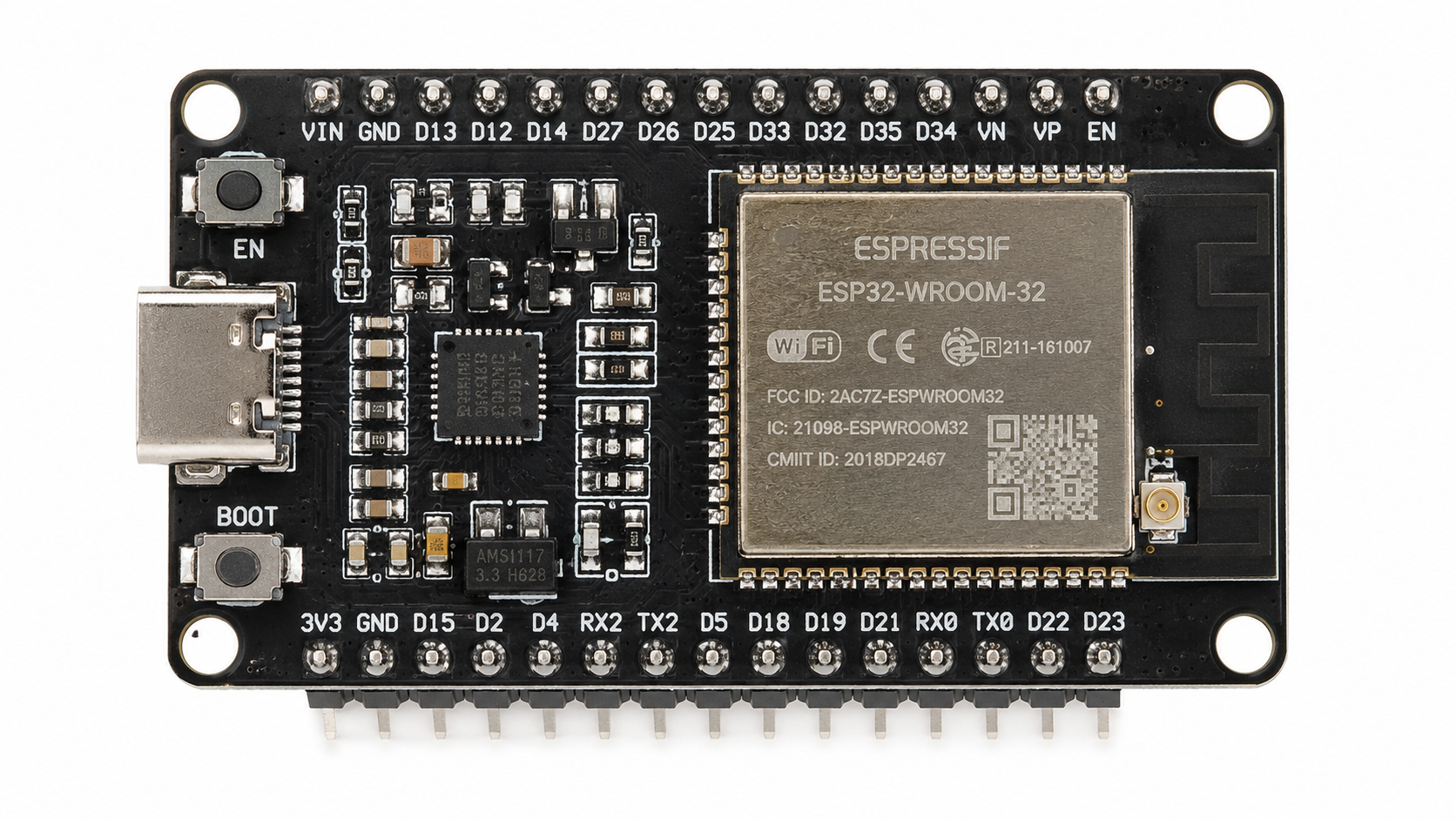
Unlike traditional Arduino boards that often require separate communication modules, many ESP32 development boards include:
Wi-Fi
Bluetooth
Bluetooth Low Energy
More processing capability
Multiple GPIO interfaces
This makes the ESP32 extremely useful for connected devices.
Why Choose ESP32?
An ESP32 is particularly attractive when your project requires:
Wi-Fi
Bluetooth
IoT connectivity
Remote monitoring
Wireless control
Web servers
Smartphone communication
Connected sensors
Smart-home applications
Example: Smart Home System
Imagine a device that monitors room temperature and humidity.
An ESP32 can:
Read the sensors.
Connect to Wi-Fi.
Send the readings to a server.
Allow the user to view the information remotely.
Receive commands from a mobile application.
A traditional Uno could perform the sensor-reading portion, but additional hardware would typically be required for wireless connectivity.
With an ESP32, wireless connectivity is integrated into the platform.
Example: Wi-Fi-Controlled Robot
An ESP32 can be used to create a robot controlled from a smartphone.
The phone sends commands over Wi-Fi or Bluetooth.
The ESP32 receives the commands and controls the motor driver.
This makes it suitable for:
Remote-controlled robots
IoT robots
Smart vehicles
Wireless automation systems
Example: Smart Agriculture
An ESP32 can collect:
Soil moisture
Temperature
Humidity
Light intensity
and transmit the information over Wi-Fi.
The system could then provide remote monitoring or trigger an irrigation system.
ESP32 vs Arduino
The choice between an Arduino and an ESP32 often comes down to connectivity and complexity.
If you are building a simple classroom electronics project, an Uno may be easier.
If the project needs wireless connectivity, the ESP32 is often a much more natural choice.
5. Raspberry Pi: When Your Project Needs a Computer
The Raspberry Pi occupies a different category.
It is not simply a more powerful Arduino.
Instead, it is a compact computer capable of running an operating system.
This opens up an entirely different range of applications.
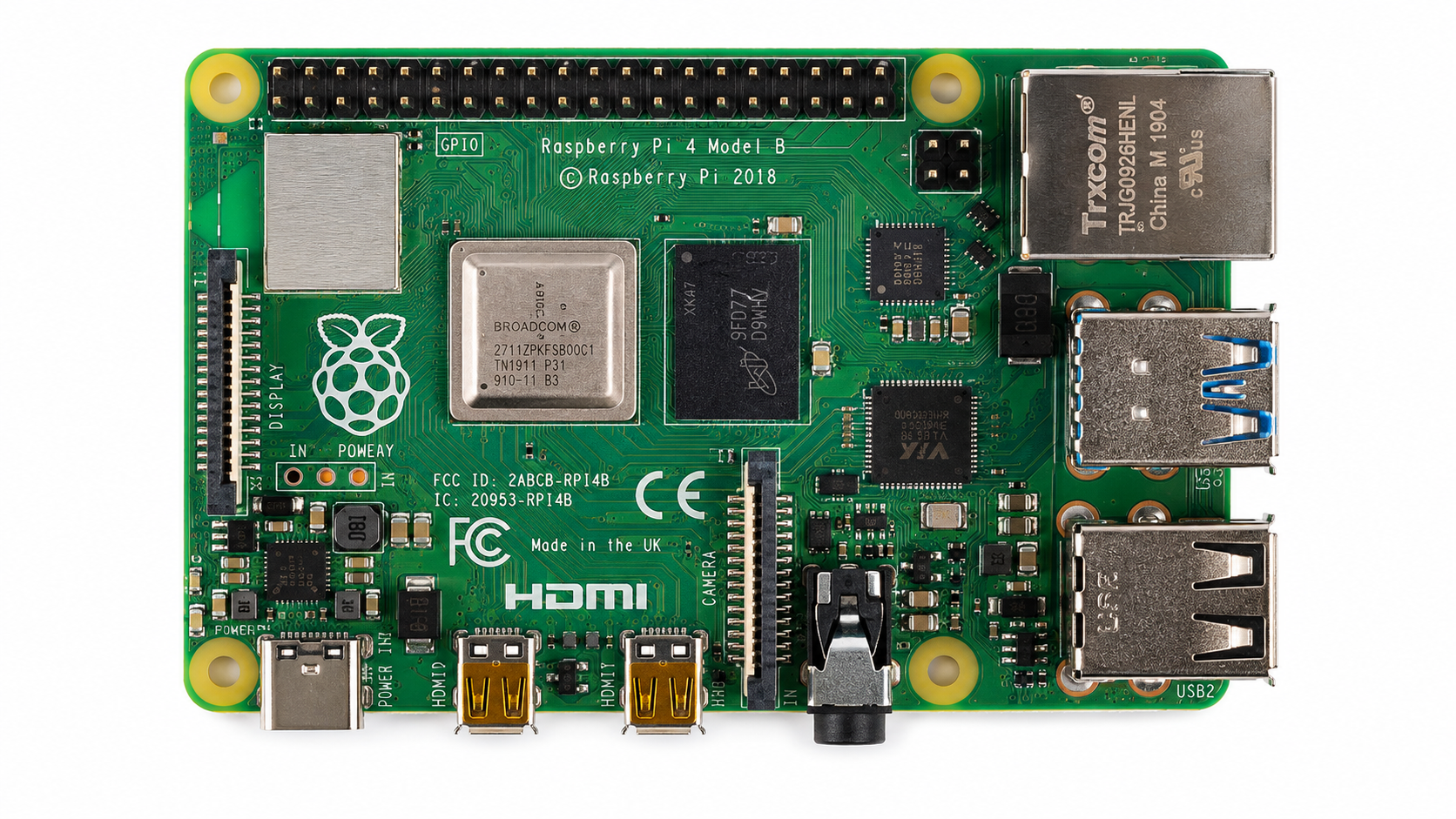
A Raspberry Pi can run:
Python programs
Web servers
Databases
Computer vision applications
AI frameworks
Network services
Graphical applications
Media applications
Robotics software
This makes it extremely useful for advanced projects.
Raspberry Pi for Computer Vision
One of the most important scenarios for Raspberry Pi is computer vision.
Imagine a robot with a camera.
The robot needs to:
Capture video
Detect objects
Identify obstacles
Track movement
Recognize signs
Make decisions based on images
These tasks require substantially more computational resources than simply reading an ultrasonic sensor.
A Raspberry Pi can process camera data and run computer vision software.
For example, a Raspberry Pi-based robot could use a camera to identify an object and then instruct a microcontroller to move the motors.
Raspberry Pi for AI and Machine Learning
Raspberry Pi can also be used for selected AI and machine-learning applications, especially lightweight edge-AI workloads.
For example:
Camera → Raspberry Pi → AI model → Decision → Motor controller
The Raspberry Pi can process the camera input and determine what the robot sees.
A microcontroller can then handle the low-level motor control.
This architecture is particularly useful in robotics.
Raspberry Pi for Home Automation
A Raspberry Pi can also serve as the central controller of a home automation system.
For example, it can connect to:
Sensors
Smart switches
Cameras
Displays
Networking devices
Microcontrollers
It can host dashboards and databases and communicate with other devices over a network.
This is considerably different from a basic Arduino project because the Raspberry Pi can function as a small server or computer.
Raspberry Pi for Web Servers and Network Applications
Another advantage of Raspberry Pi is networking.
A Raspberry Pi can host:
Websites
APIs
Dashboards
Databases
Local monitoring systems
For example, a factory prototype could use a Raspberry Pi to collect sensor information from multiple microcontrollers and display that information through a web dashboard.
6. Scenario-Based Comparison
Instead of asking which board is “the best,” it is more useful to ask which board is best for a particular scenario.
| Project Scenario | Recommended Board | Reason |
|---|---|---|
| Learning electronics | Arduino Uno | Simple and beginner-friendly |
| Basic sensor project | Uno / Nano | Easy sensor interfacing |
| Small embedded device | Nano | Compact size |
| Line-following robot | Uno / Nano | Simple real-time control |
| Small autonomous robot | Nano / ESP32 | Compact and capable |
| Many sensors | Mega | Large number of I/O connections |
| Robotic arm | Mega / ESP32 | Multiple actuators and sensors |
| Wi-Fi robot | ESP32 | Built-in wireless connectivity |
| Bluetooth controller | ESP32 | Bluetooth support |
| Smart-home device | ESP32 | Connectivity and low-power operation |
| IoT sensor | ESP32 | Wireless communication |
| Advanced computer vision | Raspberry Pi | Higher computing capability |
| AI-based robot | Raspberry Pi + MCU | High-level AI + real-time control |
| Web dashboard | Raspberry Pi | Can run server software |
| Data logging system | Raspberry Pi / ESP32 | Depends on storage and processing requirements |
| Multi-device gateway | Raspberry Pi | Networking and computing capabilities |
Conclusion: There Is No Single “Best” Board
Arduino Nano, Arduino Uno, Arduino Mega, ESP32, and Raspberry Pi are not simply competing versions of the same product.
They solve different engineering problems.
The Arduino Uno is an excellent starting point for learning electronics and building simple prototypes.
The Arduino Nano is useful when similar microcontroller functionality needs to fit into a smaller space.
The Arduino Mega becomes valuable when a project contains a large number of sensors, actuators, and peripherals.
The ESP32 is an excellent choice for connected embedded systems where Wi-Fi, Bluetooth, and IoT capabilities are important.
The Raspberry Pi is more appropriate when a project requires an operating system, advanced networking, computer vision, software applications, or significantly greater computing capability.
And in advanced projects, the answer may not be one board at all.
A robotics system could use a Raspberry Pi for vision and artificial intelligence, an ESP32 for wireless communication, and a microcontroller for precise motor control.
The most important lesson is therefore:
Don't choose the board first. Choose the architecture first.
Understand what your project needs, divide the requirements into tasks, and then select the hardware that is best suited for each task.
That approach will not only help you choose between Arduino, ESP32, and Raspberry Pi—it will also help you design systems that are more efficient, reliable, scalable, and easier to maintain.